How to Put a Game on Your Portfolio
Why build a game for your portfolio?
A personal site has to do a few things at once: make an argument for you, keep visitors reading, earn shares, produce backlinks. A blog post is shaped for the first. For the rest, you need other shapes.
Each idea gets its own purpose-built artifact, cut to the shape of the problem rather than borrowed from something adjacent. For the visitors-shares-backlinks arms of this site's problem, the shape I picked was a game. Players stay longer, share their scores, and top scores earn a dofollow link.
Word Raid is what that produced.
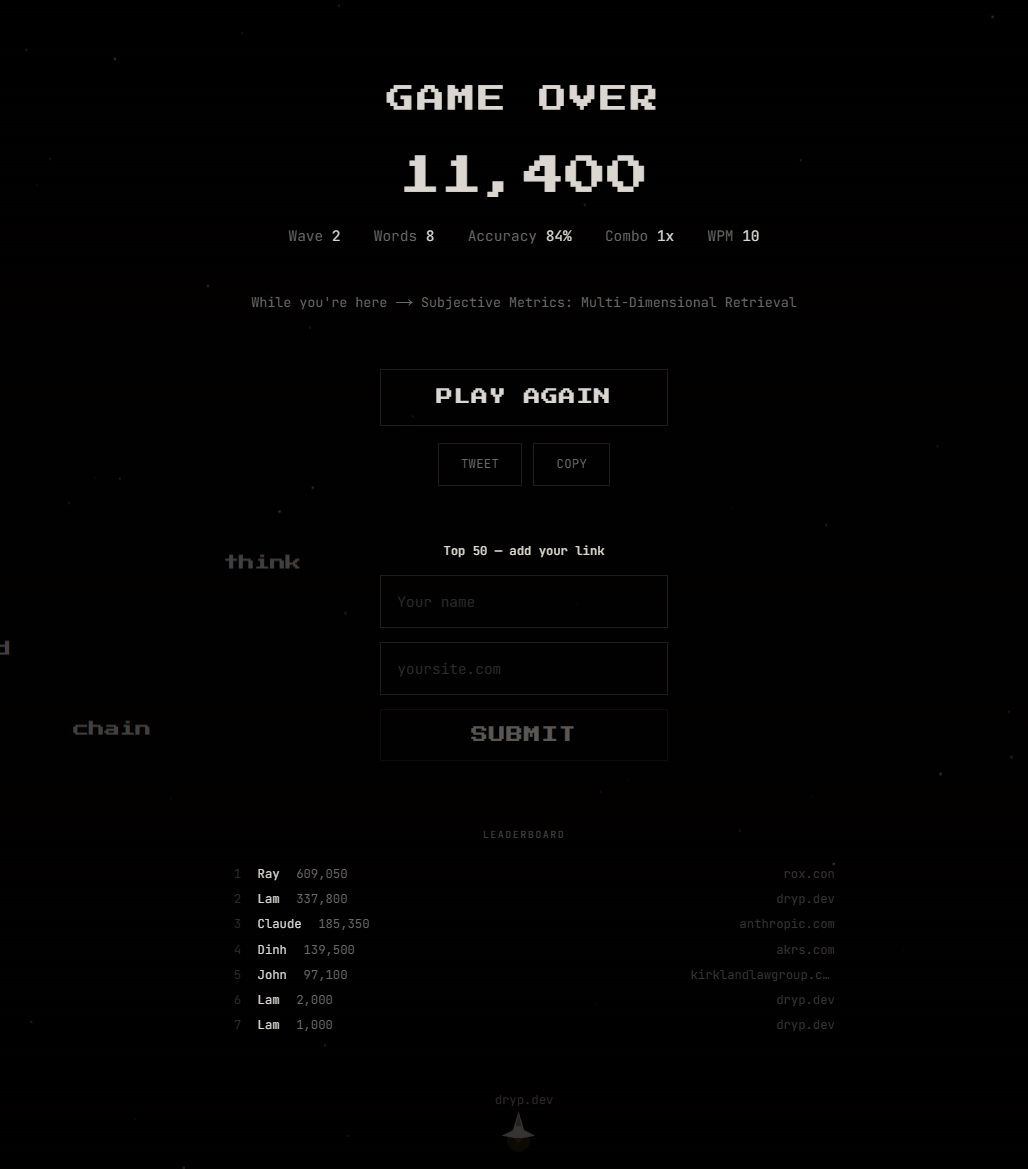
Words fall from the top, you type them before they reach your ship, and every third wave a blog post title becomes a boss fight. Top 50 scores earn a dofollow backlink from a crawlable leaderboard.
Three ideas that made it work
Blog posts as bosses
Every third wave, one of the site's blog post titles becomes a boss. The title splits into 2-3 segments that hover at the top of the screen and spawn minion attacks between kills — blitz, pairs, or a slow trickle — so the rhythm varies across runs.
const isBossWave = wave % 3 === 0 && blogPosts.length > 0;
The win screen is the full title and description; the game-over screen links to every post the player fought. You're trading the attention that would normally go into a generic "YOU WIN" for recognition of what the site actually contains. Your bosses could be anything: project names, résumé bullets, tweets. Whatever you want noticed.
Let the game teach itself
The first time a player sees a shielded word — one that requires typing twice — a single line of copy flashes: "SHIELDED — type it twice!" That's the entire tutorial system.
No gated onboarding, no tips screen, no modal. A new mechanic appears; a sentence explains it; the mechanic teaches the rest. The rule generalizes past games: don't explain what the medium can demonstrate. A portfolio that opens with "I'm a builder" is losing to one that just shows you building.
SEO as a game mechanic
Top 50 scores submit a name and URL to a Firestore collection. The leaderboard lives at /play/leaderboard — a statically rendered page with real crawlable text, not canvas pixels. Every entry is a plain <a href> with no rel="nofollow" — a real dofollow backlink, the kind search engines actually count.
The interesting part isn't the mechanics. It's that the reward the player wants — top-50 bragging rights — and the reward the site wants — indexed inbound links — are produced by the same action. When those align, you don't need marketing. You need a leaderboard.
Build yours
The underlying machine is simple: a canvas, one requestAnimationFrame loop, entities as typed arrays, audio synthesized at runtime with Web Audio. It works for anything where things move and a player interacts through input. Typing arcade is what I picked because I like typing games; it isn't specially better than the alternatives.
Five forms that work for a portfolio:
- Typing arcade — words fall, you type to destroy them. Boss fights are blog titles.
- Terminal adventure — fake shell where you
cdinto projects andcatblog posts. The game IS the portfolio. - Tower defense — bugs march toward your codebase; type tech words to place defenses. Your stack is the arsenal.
- Rhythm typing — words scroll on beat lanes. Blog titles are guitar solos.
- Roguelike dungeon — navigate rooms by typing commands. Each room reveals a project.
Pick one before you start. The shape of the game matters; the code doesn't. The prompt below handles the rest.
You're helping me build an interactive game for my personal portfolio/website. The game should be built into the site — not a separate app, not an iframe. Canvas-rendered, Web Audio API for synthesized sound, zero external game dependencies.

I want to build: [PICK ONE: typing arcade / terminal adventure / tower defense / rhythm typing / roguelike dungeon / or describe your own]

First, scan my codebase to understand:
- What framework and language I'm using
- What content I have (blog posts, projects, case studies, etc.)
- The visual style and color palette of my site
- How routing and pages are structured

Present what you found and how it maps to the game:
"Here's what I gathered: [framework], [content types], [design vibe]. For your [chosen game type], I'd use [content] as [bosses/levels/rooms/enemies]. Here's my plan."

Ask if I want to adjust any of those assumptions. Then ask only what you can't infer from the code:
- What should a high score earn? (Backlink from your site, shoutout, bragging rights?)
- Anything you definitely want or definitely don't want?

Then build step by step:

Phase 1: Canvas setup + game loop (requestAnimationFrame, delta time)
Phase 2: Entity system (plain typed arrays, no game engine)
Phase 3: Input handling (keyboard + touch)
Phase 4: Progression system (waves, levels, or rooms — drawn from my content)
Phase 5: Scoring + combo/multiplier system
Phase 6: Content integration (bosses, rooms, or encounters tied to my blog/projects)
Phase 7: Audio synthesis (Web Audio API, layered oscillators, no files)
Phase 8: Menu, game over, HUD — styled to match my site
Phase 9: Leaderboard (if I want one)
Phase 10: Polish (particles, screen shake, effects)

For each phase, write the code, explain key decisions, and check if I want to adjust before moving on. Use my existing stack and conventions.

Reference: https://dryp.dev/play